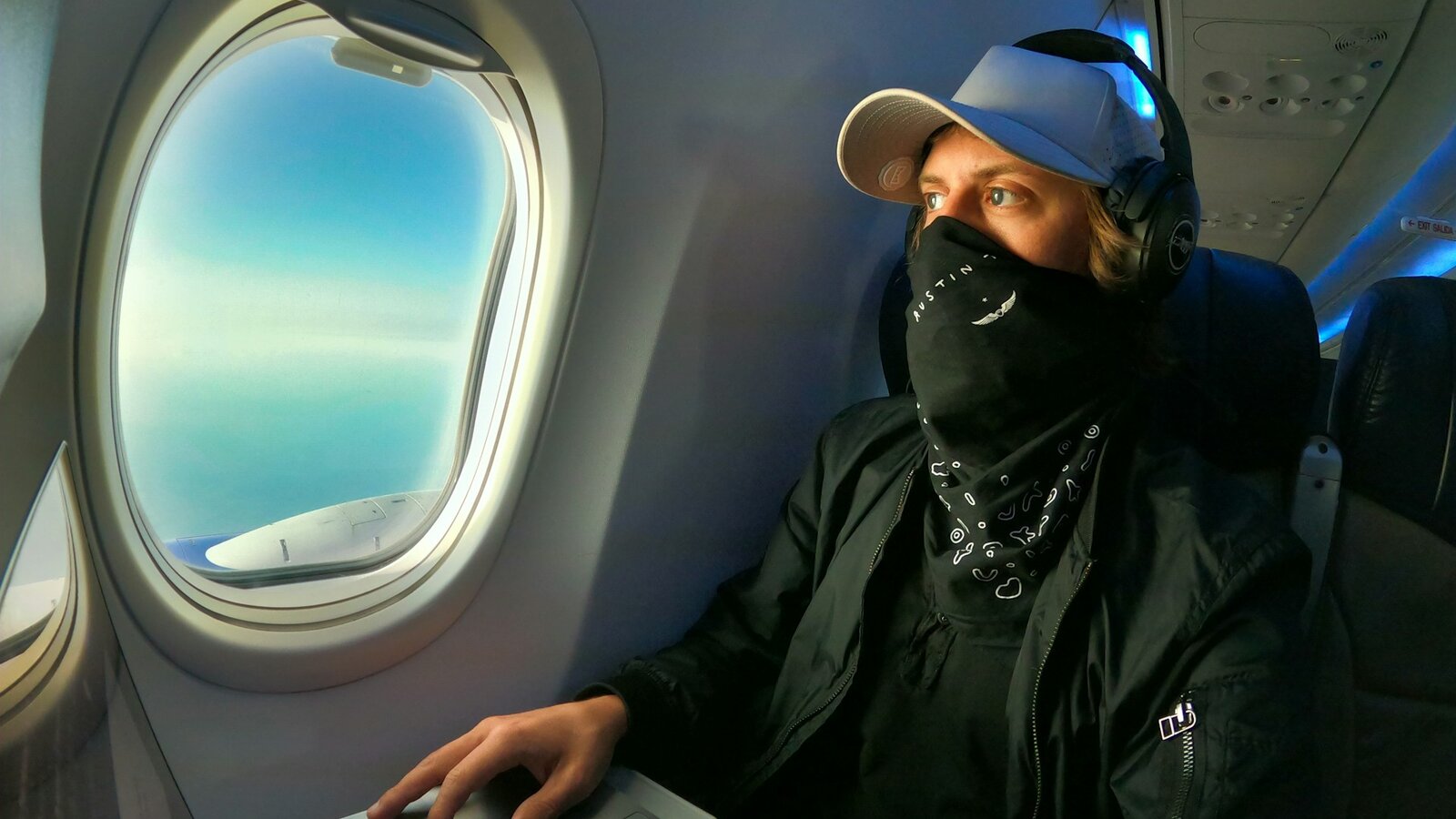
The most common reason for a delay at security isn't a banned item - it's an unprepared passenger. A laptop is allowed on board by almost every airline in the world, either as part of your carry-on bag or as a separate personal item, depending on your fare. But that permission comes with nuances that rarely get explained when you buy your ticket: how much carry-on allowance a laptop actually uses up, whether you can check it in your hold luggage, what to do about the battery, and why one security checkpoint asks you to take it out of your bag while another doesn't. We've put together the complete rules for flying with a laptop in 2026— with specific airline allowances, IATA and ICAO lithium battery regulations, current changes at security, and a checklist for getting your laptop ready to fly.
Quick navigation — jump straight to the section you need:
- Carry-on or personal item? → the difference and how it's decided
- Rules by airline → a comparison table of carriers
- Can you check a laptop as luggage? → risks and alternatives
- Battery and power bank rules → IATA and ICAO regulations
- Airport security → when to take the laptop out and when not to
- Using it in flight → when you're allowed to switch it on
- Getting ready to fly → a packing checklist
- Choosing a bag → what to look for
- Frequently asked questions → FAQ on flying with a laptop
Carry-on or personal item: what's the difference
A laptop bag can count as either carry-on luggage or a personal item — there's no single universal standard. The final rule is set by each airline individually, and sometimes by a specific fare within the same airline. The difference between these two categories isn't about what's inside the bag, but where it's stored on board and whether it counts toward your main baggage allowance.
Carry-on luggage is usually stored in the overhead bin: this can be a wheeled case, a large backpack or a holdall. Personal items are whatever fits under the seat in front of you: a laptop bag, a small backpack, a handbag or a briefcase. On low-cost carriers like Ryanair and Wizzair, a personal item usually travels free on the basic fare, while carry-on luggage requires a separate fee or a higher fare tier — and the difference between "laptop in a small backpack" and "laptop in a large backpack plus a wheeled case" can cost a passenger extra money at check-in. 
| Parameter | Carry-on luggage | Personal item |
|---|---|---|
| Dimensions | Usually larger, according to the airline's limit (typically around 55×40×20 cm) | More compact, must fit under the seat (typically around 40×30×15–18 cm) |
| Storage location | Overhead bin | Under the seat in front |
| Typical examples | Wheeled case, large backpack, holdall | Laptop bag, small backpack, briefcase, handbag |
| How it's counted in the fare | Often requires a separate fee with low-cost carriers, included in the base fare with most full-service airlines | Usually free even on the most basic fare, but not always — check with the specific airline |
Practical takeaway: if you're flying a low-cost carrier on a basic fare, it's worth making sure your laptop bag is sized to qualify as a personal item under the seat — that way you avoid paying extra for carry-on luggage just for one device.
Laptop carry-on rules by popular airline
The most common mistake passengers make is not checking the rules of their specific airline and fare before heading to the airport. A laptop physically counts toward your carry-on or personal item allowance and weighs on average 1.3–2.5 kg depending on the model and screen size — that weight needs to be factored in when packing everything else, especially if you're travelling with carry-on only and no checked bag.
Below are the current allowances for popular carriers most commonly used by tourists from Poland. Rules change periodically, so check the terms of your specific fare on the airline's website before you fly.
| Airline | Max carry-on weight | Max dimensions | Personal item allowance |
|---|---|---|---|
| LOT Polish Airlines | 8 kg | 55×40×23 cm | An extra personal item is included in most fares except the most basic one |
| Ryanair | 10 kg (paid, from the Priority fare upward) | 55×40×20 cm | Only a small bag, 40×20×25 cm, under the seat is free, including a laptop |
| Wizzair | 10 kg (with WIZZ Priority) | 55×40×23 cm | A small bag, 40×30×18 cm, under the seat is free |
| Turkish Airlines | 8 kg | 55×40×23 cm | An additional personal item up to 40×30×15 cm |
| Lufthansa | 8 kg | 55×40×23 cm | A personal item up to 40×30×15 cm; the laptop bag goes under the seat |
| Emirates | 7 kg in economy, 10 kg in premium economy | 55×38×22 cm | The separate personal item allowance depends on travel class and route |
| Qatar Airways | 7 kg in economy | 50×37×25 cm | A laptop bag may be counted as the carry-on item itself |
| Enter Air | 8 kg (on charter flights, confirm with your tour operator) | usually 55×40×20 cm | Personal item rules depend on the terms of the specific package tour |
Important: with most low-cost carriers, the laptop and its bag together must fit entirely within the allowance for a single piece of carry-on or a single personal item — there's no separate "slot" specifically for electronics. If a carry-on bag with a laptop inside exceeds your fare's weight limit, you'll be asked to pay extra or repack at check-in.
Can you check a laptop in the hold?
There's no formal ban on carrying a laptop in checked luggage — simply having a computer in your suitcase doesn't break any airline rule. But airlines don't accept full liability for valuable electronics in the hold, and in practice, no airline and no experienced traveller actually recommends checking a laptop.
The main risks of putting a laptop in checked luggage:
- mechanical impacts during loading and unloading that can damage the screen or hard drive;
- theft during baggage sorting at transit airports — electronics remain one of the most frequently stolen categories of items;
- extreme temperature swings in the unheated cargo hold, especially on long-haul flights;
- lost or delayed baggage on connecting flights — and a laptop is often needed as soon as you land;
- limited compensation: most airlines explicitly exclude electronics and valuables from their standard baggage liability.
There's one rule here that's not just advice but a hard regulation: spare lithium-ion batteries and power banks are banned from checked luggage under ICAO and IATA rules. A working laptop with its battery installed can technically travel in the hold, but it's safer to keep it in the cabin — if a battery fire were to start in the cargo hold, the crew wouldn't be able to spot and extinguish it as quickly as they could in the cabin.
Lithium-ion laptop batteries and power banks: what's allowed and what isn't
A lithium-ion battery is a built-in part of every modern laptop, so ICAO and IATA battery rules apply even to passengers who've never thought about it separately. All the restrictions are built around the battery's energy capacity, measured in watt-hours (Wh) and usually printed on the battery itself or listed in the device's technical specifications.
| Battery capacity | Transport rule |
|---|---|
| Up to 100 Wh | Allowed in carry-on without restriction and without airline approval. Most laptop batteries fall into this category (typically 40–100 Wh) |
| 100–160 Wh | Allowed only in carry-on, maximum 2 spare batteries per passenger, requires prior approval from the airline |
| Over 160 Wh | Banned from carriage on passenger flights in any form of luggage |
A laptop's built-in battery almost never causes a problem under these limits — standard models fall well within the 100 Wh threshold. There are exceptions: in 2017 several airlines and the European Union Aviation Safety Agency (EASA) temporarily restricted certain batches of 15-inch MacBook Pro Retina laptops over battery overheating risks — targeted restrictions like this on specific models are occasionally introduced and later lifted, so it's worth checking for any current advisories on your particular device before a long trip.
A spare external battery (power bank) travels exclusively in carry-on luggage — checking it in the hold is prohibited. If you plan to use a power bank in flight, check its power rating in advance: devices rated 100–160 Wh require airline approval, and anything over 160 Wh isn't allowed on board at all. It's advisable to tape over a power bank's terminals or store it in a separate pouch to rule out an accidental short circuit inside your bag.
How to get through airport security with a laptop
Passengers are held up at pre-flight security more often because they're unprepared for the process, not because they're carrying anything banned. On a classic X-ray scanner, a laptop's battery and metal components create a dense, opaque image that can obscure the rest of a bag's contents from the screening officer — which is why most security checkpoints still ask you to take a laptop out of your bag and place it in a separate tray. It's worth laying out your charger, cables and headphones separately too — this speeds up the check and avoids extra questions.
The situation is gradually changing: the European Union is steadily rolling out more advanced CT (computed tomography) scanners at airports, which produce a volumetric 3D image of a bag's contents and let passengers leave both laptops and liquids inside. By 2026, such scanners have already appeared on selected security lanes at several European airports, including Warsaw Chopin Airport, where the new equipment is currently operating on a handful of dedicated lanes. The requirement depends on the specific airport, terminal and even which particular lane you're sent to on a given day — so it's best to follow staff instructions on the spot rather than assume a blanket rule.
One more detail: security staff may ask you to switch the laptop on to confirm it's a genuinely working device and not a decoy or a hiding place for something else. A dead laptop that won't power up on request can trigger additional screening and a delay — so it's worth charging your device before departure to at least a level sufficient to boot up. Requirements around unlocking or powering on a device also vary noticeably between countries and airports: some ask only to show the screen light up, others ask for a full unlock.
Can you use a laptop during the flight?
Using a laptop on a plane is generally fine as long as you follow a few rules common to most airlines:
- During taxiing, take-off, initial climb, descent and landing — devices must be stowed and secured; a laptop shouldn't be sitting loose on your lap or on the tray table.
- During turbulence — it's best not to hold a laptop on your lap: a sudden jolt could injure you or the person next to you with the device's sharp edge.
- Once the aircraft reaches cruising altitude, as soon as the seatbelt sign switches off, you can take out and switch on your laptop. It's a good idea to enable airplane mode straight away and work offline, or connect to onboard Wi-Fi if it's available on your flight.
Whether you have a power outlet or USB port at your seat depends on the aircraft type, route length and travel class: most low-cost carriers (Ryanair, Wizzair) usually have no individual power outlets in economy at all, while long-haul flights with full-service airlines typically provide one at every seat. A sensible strategy is to charge your laptop to 80–100% before departure and not rely on an onboard outlet as your main power source.
Getting your laptop ready to fly: a checklist
A well-packed, properly prepared laptop sails through both security and the flight itself without a hitch. Here's a sequence that covers most typical situations:
- Charge your laptop to 80–100% before the flight — this speeds up security if you're asked to power it on, and gives you a buffer of battery life on board without a power outlet.
- Fully shut the device down before boarding rather than leaving it in sleep mode — an active laptop in a closed bag risks overheating, while a "sleeping" one can quietly drain its battery over the course of the flight.
- Disconnect the charger, mouse, USB drives and other peripherals — this makes the laptop faster and easier to take out at security, and keeps cables from tangling inside your bag.
- Put the laptop in a protective neoprene or hard-shell sleeve — an extra layer of protection against knocks and scratches doesn't hurt even inside a backpack with a dedicated laptop compartment.
- Place the device in an easily accessible compartment of your bag — so you're not digging around for it at the security tray.
- Back up important data before an international flight — in case the device is inspected, lost or damaged en route.
- Weigh your entire carry-on, laptop included, at home beforehand — this avoids an unpleasant surprise at check-in, especially with low-cost carriers and their strict weight limits.
How to choose a bag or backpack for carrying a laptop
Choosing a travel bag is worth starting not from design but from your specific airline's carry-on and personal item limits — that determines what dimensions the bag needs to meet to travel for free. A few other things worth checking when choosing one:
- the bag's size fits within the carry-on or under-seat personal item allowance of the specific airline you're flying with;
- there's a separate, padded compartment for the laptop, kept apart from your other belongings;
- the laptop can be taken out at security quickly and easily without unpacking the whole bag;
- the compartment walls are soft but firm enough to protect the device from knocks while carrying it and in the overhead bin;
- the charger, documents and other heavy items sit in separate compartments and don't press directly against the laptop's body.
For business travel and frequent flyers, a backpack with a dedicated laptop compartment is in practice more reliable than a separate laptop bag: there's less risk of forgetting the device or dropping it while transferring it between compartments. Extra protection can be as simple as a neoprene sleeve; for expensive professional models it's worth considering a hard plastic case inside the backpack and separate insurance for the equipment during your trip. If you do have to put the laptop in the overhead bin, lay it flat, screen side up, and don't stack anything heavy on top of it — keeping the device under the seat in front of you is the safer option in every case. 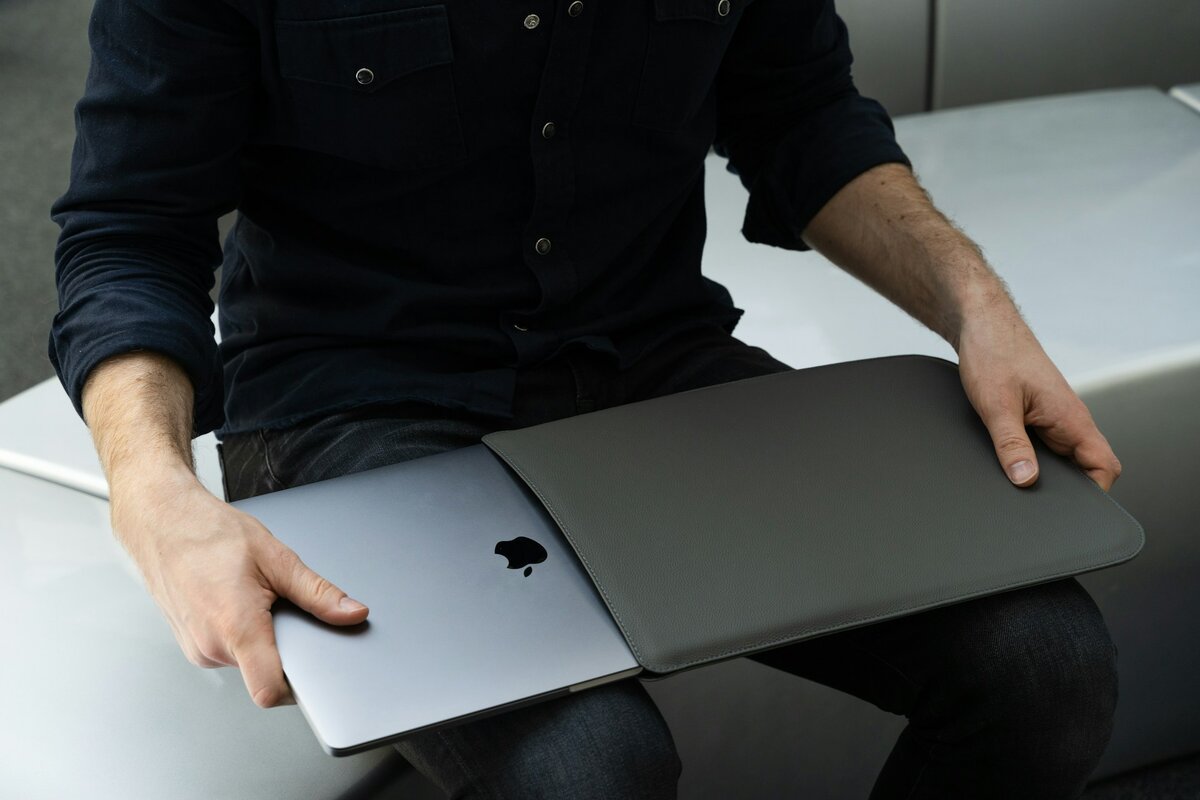
Common mistakes when flying with a laptop:
- Checking a power bank or spare battery in the hold along with the laptop. This isn't a recommendation — it's a direct ban under ICAO and IATA rules. Spare lithium-ion batteries are permitted only in carry-on luggage.
- Leaving the laptop in sleep mode before boarding. An active device in a closed bag cools poorly, and battery overheating in an enclosed space is one of the few genuine fire risks on board.
- Not checking the specific fare's allowance before departure. With low-cost carriers, even a small backpack with a laptop can trigger an extra charge if it exceeds the personal item limit rather than the general carry-on limit.
- Putting the laptop in the overhead bin under heavy suitcases. Even in a hard case, a laptop screen is vulnerable to pressure from above — putting it under the seat should always be the priority.
- Forgetting to lay out the charger and power bank separately at security, even when the laptop itself isn't requested — this is one of the common reasons a bag has to go back through the scanner a second time.
- Not insuring expensive professional equipment on business trips — standard airline baggage liability almost always explicitly excludes electronics.
Frequently asked questions about flying with a laptop
Does a laptop count as carry-on luggage on a plane?
Yes, in most cases a laptop counts as part of your carry-on allowance. You can bring it into the cabin, but the weight of the device, its charger and the bag itself usually counts toward the overall carry-on limit for that fare. With some airlines the laptop fits within your main piece of carry-on; with others it's counted separately, as a personal item. Check the exact rule with your specific carrier before you fly.
Is a laptop a personal item or carry-on luggage?
It can be either — it depends on the fare and the specific airline's rules. If the laptop bag is compact and fits under the seat in front, it's usually classed as a personal item. If it's a large backpack or a full-size cabin case, it's typically counted as carry-on luggage with its own weight and size limits.
Can you carry a laptop in the hold?
Technically, yes — there's no ban on it. But in practice it's better not to send a laptop into the hold: the device can be damaged during loading, lost during a connection or stolen during baggage sorting. There's also a lithium-ion battery inside, and it's safer to keep these devices in the cabin, where any battery issue can be spotted and dealt with much faster.
Can you bring two laptops in carry-on, and do you need to pay customs duty?
You can usually bring two laptops in carry-on if they fit within the weight and size limits of your bag and the airline's general rules. Customs duty is trickier: it depends on the country you're entering, the value of the equipment and any signs of a commercial import of goods. EU countries apply a limit for personal-use goods, but carrying several identical portable devices can raise questions at customs. If you're bringing a new second laptop, keep the receipt and be ready to explain the device's purpose.
Do you have to take a laptop out at airport security?
At most security checkpoints — yes, the laptop needs to come out of the bag and go into a separate tray, apart from everything else. The reason is technical: the battery and metal components create a dense image on a classic X-ray scan and can obscure other items in the bag from the screening officer. At airports with modern CT scanners this requirement is gradually being phased out, but it's best to follow staff instructions at the specific security lane on the day you fly.
What happens if carry-on luggage with a laptop exceeds the weight limit?
If the total weight of your carry-on including the laptop exceeds your fare's allowance, the airline may ask you to move some items into another bag, pay an excess baggage fee, or check part of your luggage in. It's better not to check the laptop itself along with the rest of your baggage in that case — it's safer to take it out and carry it separately as a personal item, if your fare's rules allow that. To avoid an awkward situation at check-in, weigh your packed bag at home beforehand.
Can you use a laptop during take-off and landing?
No — during taxiing, take-off, climb, descent and landing, all electronics, including laptops, must be stowed and properly secured in a bag or overhead bin. You can only use the device once the seatbelt sign switches off and the crew allows normal use of electronics.
Do you need to declare a laptop at customs?
For a personal laptop that's travelling with its owner and is clearly used for personal or work purposes, a separate declaration usually isn't required — it falls under the general allowance for personal-use goods. Customs questions tend to arise in other situations: several identical new devices still in their original packaging, clear signs of resale, or bringing in equipment worth significantly more than the personal value limit for that particular country.
Conclusion
A laptop on a plane isn't a source of problems — it's a matter of preparation
Almost every major airline allows a laptop on board, either as part of your carry-on allowance or as a separate personal item, depending on your fare. What's worth doing in advance: check the exact limits of your fare, charge the device before departure, lay it out separately from everything else at security, and never check a spare battery or power bank in the hold — that's a hard ban under international rules, not just a cautious recommendation.
Final tip:
If you fly with a laptop often, pack and weigh your "travel kit" once — the device, charger, cables and protective sleeve together — and remember the total weight. It takes five minutes at home and saves you the stress of re-packing at check-in before every subsequent flight.












 Holidays


 Last minute
 Hotels


 Blog
Blog